
Best commercial copiers for your workload
Choose by the largest sheet you print, the busiest recurring month and the biggest batch you scan. A desktop Brother can handle letter and legal work. A floor-standing Xerox or Ricoh covers larger color sheets. Epson’s 100 ISO ppm model is an option for longer runs and heavier workloads.
Five starting points for different jobs
Print speeds are rated on letter-size jobs or Epson’s ISO test. Test the quoted copier with your paper and finishing. One printed side is one page here. Ask how your service contract bills 11 × 17 and two-sided jobs.
Black-and-white letter and legal
Brother MFC-L6915DW
- 52 ppm · up to legal
- Feeder
- 80 sheets · two-sided
Good when staff scan color originals but print mostly invoices or text. Brother recommends up to 16,000 printed pages a month. Move to a floor model if you need 11 × 17.
Refurbished 11 × 17 color
Xerox VersaLink C7130
- 30 ppm · up to 11 × 17
- Feeder
- 130 sheets · up to 80 ipm duplex
Consider it if you need tabloid color and can buy refurbished. Xerox recommends up to 7,000 pages a month for the C7130. Ask for the meter, warranty and local service before ordering.
New 12 × 18 color with setup
Xerox AltaLink C8230
- 30 ppm · up to 12 × 18
- Feeder
- 130 sheets · up to 161 ipm duplex
Consider it when you print 12 × 18 stock or need faster two-sided scan batches. The dealer’s high-capacity tray example includes delivery, installation and training. Metered service is billed separately.
Large two-sided scan batches
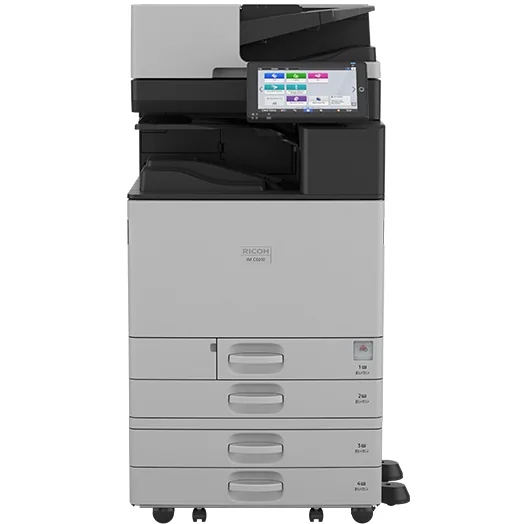
Ricoh IM C4510
- 45 ppm · up to 12 × 18
- Feeder
- 220 sheets · single-pass duplex
For a busy scan station that also needs large color prints. Ricoh rates duplex scanning up to 300 images per minute. The C6010 and C7010 have the same rated scan speed, so time the full scan job before paying for a faster print engine.
Long color runs
Epson WorkForce Enterprise AM-C10000
- 100 ISO ppm · 11 × 17 supported
- Feeder
- 150 sheets · two-sided
An option for sustained work in Epson’s 25,000–100,000-page monthly range. If the queue still moves at 60 ISO ppm, the AM-C6000 is worth pricing alongside it.
Two Xerox copiers rated at 30 ppm
If you print 11 × 17 and both machines handle your busiest jobs, compare what it costs to get each running in your office. ABD’s standard freight delivery is curbside. Ask for inside delivery, network setup and a written warranty on the refurbished VersaLink. Xerox Northeast lists $899 for delivery, setup, installation and training on the new AltaLink example. Ask both sellers for service at your ZIP and test your two-sided scan batch all the way to its destination.
Compare the installed price and monthly bill
A listed equipment price may exclude inside delivery, installation and the trays or finishers your jobs require. On a used machine, request its meter and warranty. Compare delivered costs on a $5,000 budget.
At 8,000 color pages per month, two otherwise identical quotes that differ by 2¢ per color page differ by $160 per month on those pages. Check whether a base charge includes pages and whether overages or oversized prints have different rates. Compare monthly print costs.
Run a real print job and scan before you buy
- Print the work that regularly backs up. Bring your largest sheet, normal duplex settings and actual finishing. Time the last usable set.
- Check the file as a regular staff user. Send a two-sided batch to your approved destination. Open the PDF, read the final page and check how the copier handles a failed delivery.
- Test what happens after the scan. If staff retype invoice data, run a sample through Paige from Ademero, the company behind CopierGuide. Ask the dealer and Ademero to confirm the route and panel options for the exact device.
Give each dealer the same request
Put your monthly color and black-and-white counts, largest paper size and finishing needs into the worksheet. Carry them straight into a quote for your location.