
Best high-volume copiers for your workload
Start with the busiest month you expect to repeat. Then time the job that actually holds up your team. Those two numbers help you choose between a fast office copier, a second machine and a production press.
How much can a copier print every month?
Check the manufacturer’s recommended monthly print volume for regular use. The maximum duty cycle describes a peak limit. Xerox, for example, lists the VersaLink B415 for up to 20,000 recommended pages per month and a 175,000-page duty cycle. At 30,000 pages month after month, get a quote for a model with a higher recommendation. Xerox B415 specifications.
Pull at least three months of meter reads. Include your busiest recurring month, plus color and oversized pages. If a manufacturer only publishes a duty cycle, give the dealer your meter counts and get the supported workload and response time in writing. Estimate print volume from your meters.
Example. 30,000 printed sides over 20 workdays averages 1,500 sides a day. At 65 pages per minute that is about 23 minutes of uninterrupted output on paper the machine can run at that speed. A quote needs to account for jobs arriving together, reloads and any finishing. Billing rules can count an 11 × 17 side differently from a letter side, so ask for the rate and meter rule explicitly.
Three machines for three types of work
Each example fits a different job. Compare speed on the paper you actually use. The press’s A4 and A3 ratings, for instance, refer to different sheet sizes.
Letter and legal in black and white
Xerox VersaLink B625
Up to 65 ppm and 30,000 recommended pages per month. For a department near that limit most months, get the proposed capacity and service terms in writing. This model stops at legal paper.
$2,999 equipment listing from Shop Xerox
Xerox specifications and priceHigher-volume 11 × 17 color
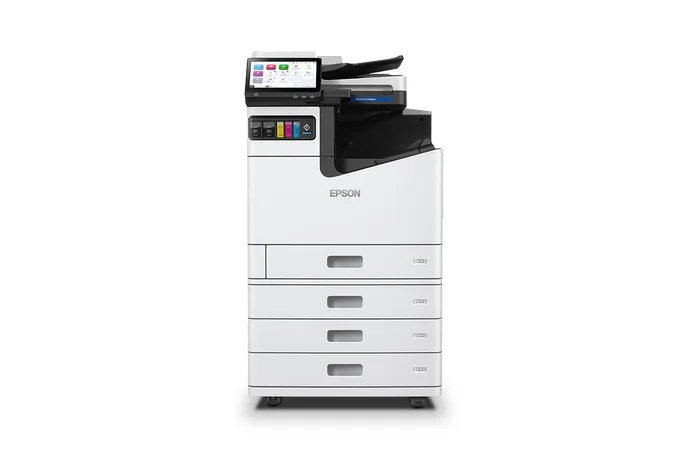
Epson WorkForce Enterprise AM-C10000
100 ISO ppm in color or black, four standard cassettes, and a recommended monthly range of 25,000–100,000 pages. Compare the 60 ISO ppm AM-C6000 if it fits your print volume and job deadlines.
Refurbished production press for specialty stock
Konica Minolta AccurioPress C14000
The legacy color press is rated up to 140 ppm on A4 and 80 ppm on A3. Konica Minolta lists media up to 450 g/m². Test your actual stock, front-to-back alignment and inline finishing. Ask for the supported sustained workload in writing.
If the same machine serves walk-up copying, long runs and urgent jobs, quote a second device as well. Ask how work would be split and what still runs if either machine is down.
What to bring to a high-volume copier demo
- One ordinary queue and one deadline job. Bring the largest batch that regularly runs late and a few short jobs that arrive while it prints. Time the last usable set. Note any paper reloads, operator steps and rejected sheets.
- Your actual paper and finishing instructions. Use the quoted finisher, staple location, stock weight and duplex setting. For commercial print, check registration and color consistency near the beginning and end of the run.
- A common quote worksheet. Give each dealer the same black-and-white and color volume. Ask for service minimums, how oversized sheets are metered, installed accessory and delivery costs, and the response time at your ZIP code.