
Sharp MX-5071
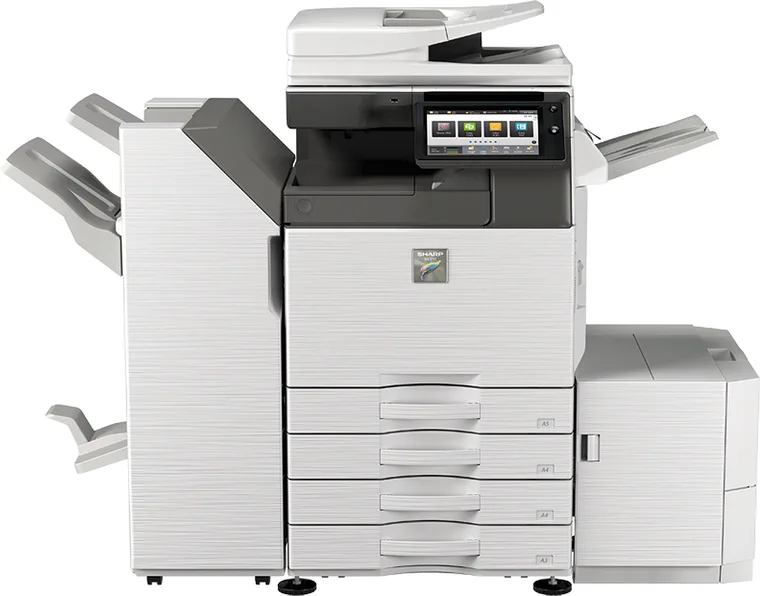
The Sharp MX-5071 prints up to 50 letter pages per minute in black or color. It has a 150-sheet single-pass document feeder and requires a 20 A receptacle in the U.S.
Published refurbished price
- $3,499.00Prestige Office Solutions · a used Sharp MX-5071. Confirm the installed options, meter counts, freight and setup before ordering. Checked .
- $4,500.00ABD Office Solutions · a refurbished MX-5071 with two trays and a stand. Checked .
Ask the dealer to price the exact drawer and finisher configuration, with inside delivery, setup, warranty and local service itemized.
Is it a fit for your office?
The MX-5071 makes sense if your office has big scan batches or uses 12 × 18 stock. Run your own stock through the bypass, then test the separate stapling or booklet function you need. For scanning, count the pages in a two-sided job and open the PDF at its final destination.
Calculate MX-5071 purchase and service costsRead published feedbackCompare more used copier prices
Print and scan specifications
- Letter print and copy speed
- Up to 50 ppm black or color
- Two-sided scan speed
- Up to 220 images per minute in black or color in scan mode
- Document feeder
- 150 sheets, single-pass duplex
- Paper input
- 650 sheets standard, including the 100-sheet bypass. Up to 6,300 with options.
- Maximum printed size
- 12 × 18 inches. Check which installed tray handles your stock.
- Largest scan original
- 11 × 17 inches
- Wireless networking
- Standard 802.11 a/b/g/n
- U.S. power requirement
- 110–127 V AC, 60 Hz, 20 A receptacle
- Printer languages
- PCL 6 and Adobe PostScript 3 standard
What to confirm with the dealer
Match the full model number on the data plate to the offer. Ask for color and black-and-white meter readings and a written list of drawers and finishers. Check the outlet and print and scan your own jobs before accepting a used machine.
Compare five Sharp MX color copiers and used prices
For a lease, request the term, end-of-lease terms and service charges for the same configuration and print volume. Use the copier quote checklist.
Can I send scans from the panel to Paige?
Save an approved SMB folder as a scan destination and test a duplex PDF from the panel. Paige Folder Monitor can pick up the file there, extract fields and route the results to the system you configure.
Compare routes to PaigeCheck native panel requirements
Explore Paige from Ademero, the company that operates CopierGuide.
Estimate your running costs
Request separate black-and-white and color rates and ask how the contract bills a 12 × 18 sheet and two-sided jobs. For a machine without a service contract, ask for prices on all four toner cartridges and the expected replacement cost of the fuser, drums and waste toner container.
Compare used color copiers
- VersaLink C7030 Consider it for occasional 11 × 17 color printing and smaller scan jobs.
- VersaLink C7130 Consider it for weekly two-sided scan batches on a copier that also prints 11 × 17.
Published reviews and test evidence
Independent lab test of this model
Buyers Lab ran a 200,000-impression durability test on the MX-5071. Ask for the used unit’s own meter and service records, then run a sample through the feeder and finisher.
Buyers Lab reliability certificate for the Sharp MX-5071