
Xerox VersaLink C7030
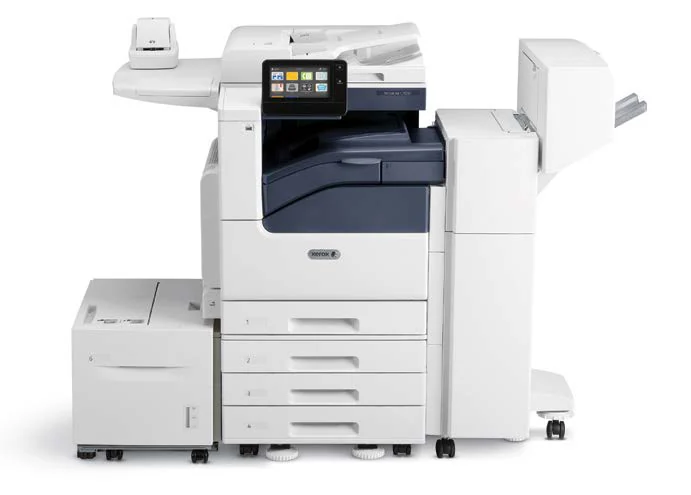
The Xerox VersaLink C7030 is a 30 ppm color copier. Xerox rates it for up to 17 ppm on single-sided 11 × 17 output and up to 7,000 average printed pages per month.
Published used and refurbished prices
- $2,500.00ABD Office Solutions · a refurbished C7030. Checked .
- $2,795.00Prestige Office Solutions · a used C7030. Checked .
Xerox no longer sells this series as new. Check the delivered price and what the dealer includes in setup, warranty and local service.
Is it a fit for your office?
If you mostly print letter jobs and occasionally need color ledger, put the C7030 on your shortlist. For bigger two-sided scan batches, compare it with a single-pass model. Give both dealers the same 25-sheet stack and time how long the complete PDF takes to reach your chosen scan folder.
Print and scan specifications
- One-sided letter print speed
- Up to 30 ppm with long-edge feed
- Two-sided letter print speed
- Up to 23 ppm with long-edge feed
- One-sided 11 × 17 print speed
- Up to 17 ppm
- Recommended average print volume
- Up to 7,000 pages per month
- Base paper input
- 620 sheets including the 100-sheet bypass
- Document feeder
- 110 sheets, duplex
- Duplex scan speed
- Up to 26 ipm on letter paper. One-sided: up to 55 ipm.
- Wireless networking
- Optional Wi-Fi kit
- Printer languages
- PCL 5e and PCL 6 standard, Adobe PostScript 3 optional
What to confirm with the dealer
Ask for color and black-and-white meters, the serial number and a local service quote for that unit. If you need PostScript, ask for the configuration report and print a sample from your actual driver. Have the dealer run a two-sided ledger job and confirm which tray feeds it.
Check whether the quoted unit includes PostScript
For a lease, request the term, end-of-lease terms and service charges for the same configuration and print volume. Use the copier quote checklist.
Can I send scans from the panel to Paige?
Add an approved SMB shared folder to the Xerox address book and select it from Scan To on the panel. Paige Folder Monitor can pick up PDFs from that share, read fields such as invoice numbers and route documents to a destination you configure.
Compare routes to PaigeCheck native panel requirementsXerox shared-folder setup
Explore Paige from Ademero, the company that operates CopierGuide.
Estimate your running costs
Xerox rates the high-capacity black 106R03737 cartridge at 23,600 standard pages under ISO testing. Ask for the price of all four cartridges, the remaining life of the drums and fuser, and the color and black-and-white meter rates. Use your own coverage and service terms to compare costs.
Calculate printing cost with your own figuresXerox supplies and product status
Compare the other 30 ppm VersaLink
- VersaLink C7130 Consider it for weekly two-sided scan batches on a copier that also prints 11 × 17.
Published reviews and test evidence
Independent lab report
In its 2017 tests of the three models, DataMaster Lab found the scan interface, print driver and browser settings easy to use. When buying used, ask the dealer to run the jobs and destinations your staff will use on the actual unit.
DataMaster Lab tests of the Xerox C7020, C7025 and C7030User-reported issue
One administrator reported a wait of over a minute when tapping a card to sign in to their PaperCut setup. That report covers one installation. If you use card-based print release, time sign-in and release with your own setup.
C7030 PaperCut card-login discussion on r/Xerox