
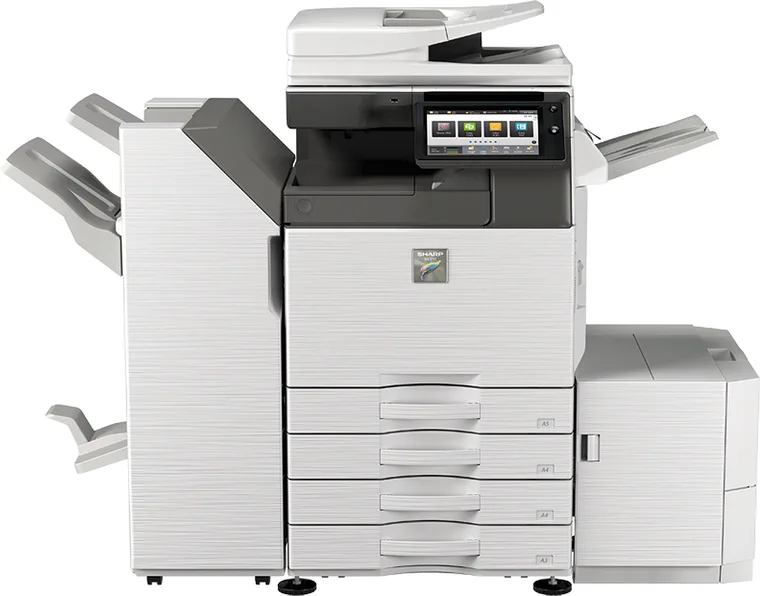
Sharp MX-3071 to MX-6071 color copiers
The MX-3071, MX-3571 and MX-4071 use a 15 A U.S. receptacle. The faster MX-5071 and MX-6071 require 20 A. All five have a 150-sheet feeder and the same rated two-sided scan speed.
Used asking prices and room requirements
One U.S. seller listed all five models, from $3,099 for the MX-3071 to $3,699 for the MX-6071. Use these as equipment price examples. Get the delivered price, installed options, warranty and local service in writing.
| Model | Letter speed | U.S. outlet | Used price |
|---|---|---|---|
| MX-3071Quote | 30 ppm | 15 A | $3,099 |
| MX-3571Quote | 35 ppm | 15 A | $3,199 |
| MX-4071Quote | 40 ppm | 15 A | $3,299 |
| MX-5071Quote | 50 ppm | 20 A | $3,499 |
| MX-6071Quote | 60 ppm | 20 A | $3,699 |
All five take up to 11 × 17 originals and print up to 12 × 18. Each starts with one 550-sheet drawer and a 100-sheet bypass. Ask which installed tray handles your stock. Sharp’s 30–40 ppm spec sheet · Sharp’s 50–60 ppm spec sheet
Does a faster Sharp MX save time on your job?
At rated letter speeds, a 750-side job takes 25 minutes on the MX-3071 and 12 minutes 30 seconds on the MX-6071. Test the job on your stock. For a scanning-heavy office, both units are rated up to 220 images per minute in two-sided scan mode.
Count every printed side. The estimate uses the rated letter speed and leaves out warm-up, finishing and delays.
Rated print time for 750 letter sides
- MX-3071
- 25 min
- MX-3571
- 21 min 26 sec
- MX-4071
- 18 min 45 sec
- MX-5071
- 15 min
- MX-6071
- 12 min 30 sec
If you scan to a folder, have the dealer send one numbered, two-sided batch to the approved share. Check that the PDF opens with every page and time how long it takes to arrive. For routine intake, Ademero’s Paige can watch that folder and send new files to a scan job. Ademero operates CopierGuide. See the Folder Monitor setup.
Check the exact unit before you pay
- Read the data plate. The MX-3571 prints color. The MX-M3571 prints in black and white. An S suffix can change options. Compare the three 5071 versions.
- Ask for the meter and accessories. Read the black-and-white and color meters. Have the seller show you the installed drawers, finisher and firmware. Ask who will service the exact serial number in your ZIP and which parts the warranty covers.
- Check what Buyers Lab tested. Its certificates for the MX-3071 and MX-4071 cite the 150,000-impression test of the MX-3571 engine. The MX-6071 certificate cites the 200,000-impression test of the MX-5071 engine. Ask for service records and inspect the used machine you will receive.
Compare delivered and serviced prices
Ask for the exact model, installed trays and finisher, inside delivery, setup, and local service. Include a letter print job and two-sided scan for the dealer to demonstrate.