
Ricoh copiers for shared offices
The 30 ppm IM C3010 and 70 ppm IM C7010 have the same rated duplex scan speed. Compare the print engines, finishing options and published prices to see which fits your office.
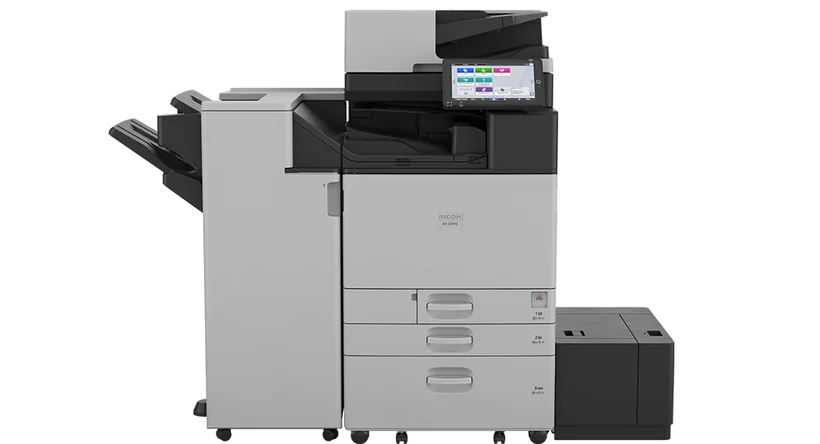
Compare Ricoh IM C color copiers
Ricoh lists 12 × 18 support in Tray 2 across these models. Ask which tray and finisher can use your media at the weight and size you need.
| Model | Letter print speed | When to shortlist it |
|---|---|---|
| IM C3010 | 30 ppm | Scan large batches when print queues are modest. |
| IM C3510 | 35 ppm | Consider the 35 ppm model for large scan batches and office printing on paper up to 12 × 18 inches. |
| IM C4510 | 45 ppm | Start here for large scan batches and print jobs that fit comfortably at 45 ppm. |
| IM C6010 | 60 ppm | Move up to 60 ppm if sustained print runs or a shared print queue regularly cause delays. |
| IM C7010 | 70 ppm | Price the 70 ppm model when long print runs are frequent. Test the exact finisher and job separation you need. |
Compare Ricoh IM monochrome copiers
Decide whether you need 12 × 18 from Tray 2 or can meet your needs with a refurbished ledger-size machine. Ask your dealer to run the longest job you print and scan before choosing a speed.
- IM 4000 refurbished prices and specs · 40 ppm and up to 240 ipm duplex.
- IM 4510 specifications and installed quote · 45 ppm, up to 300 ipm duplex and 12 × 18 from Tray 2 or bypass.
- IM 6010 specifications and installed quote · 60 ppm, up to 50,000 impressions per month and 12 × 18 from Tray 2 or bypass.
Compare IM 4000 and IM 4510 prices and serviceCompare an IM 4000 lease and purchase at your print volumeCheck IM 4000 toner, yield and service costCompare IM 4000, IM 5000 and IM 6000 by volume and serviceSee what changed in Ricoh’s 2026 monochrome lineup
What changes when buying used?
Request the serial number, separate black and color meter readings, a list of installed accessories and a written warranty. Ask the dealer to print your largest job and scan a two-sided batch to your actual destination before delivery.
Compare used Ricoh asking prices · Run the used-copier inspection
Plan for the files that leave the copier
If staff scan invoices, records or signed forms from the panel, test the folder destination and see what comes out of the receiving workflow. Verify the number of pages, the extracted fields you use and the final delivery location.
Set up a copier-to-Paige test · Compare Ricoh laser with Epson inkjet
Get Ricoh pricing for your office
Ask for equipment, setup and local service in separate lines. Include the ZIP code, paper sizes and monthly output.