
Ricoh IM C6010
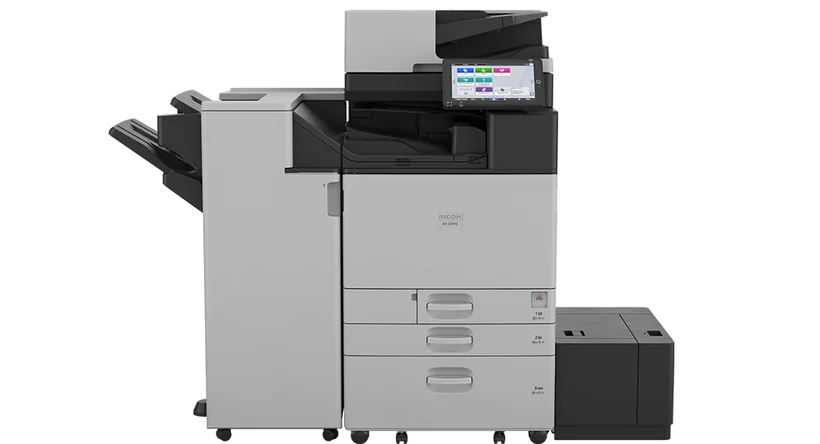
The Ricoh IM C6010 is a 60 ppm color laser copier with a 220-sheet feeder and two-sided scanning up to 300 images per minute. Consider it for shared departments that run large scan batches or regularly print on 12 × 18 paper.
Published used prices and a new lease example
- $5,995.00CopierMax · a low-meter used configuration before selected options. Checked .
- $5,799.00Prestige Office Solutions · a used IM C6010. Checked .
- From $199.00 / monthRDS Team · advertised Florida lease for a new machine with service and consumables. Ask for the exact term and included pages. Checked .
What can a new IM C6010 cost?
Public purchase records for a new IM C6010 range from $11,142.98 to $15,040.00. Cleveland County, Oklahoma proposed $12,176.26 for the machine in August 2026 and listed service separately. Ask your dealer to price the exact trays, delivery and coverage for your office.
Compare purchase, lease and service costsCompare with Epson’s AM-C4000 inkjet
Which 6010 and feeder do you need?
The IM 6010 prints in black and white. The color C6010 scans up to 300 images per minute in duplex with a 220-sheet feeder. The color C6010SD scans up to 200 images per minute in duplex and holds 300 sheets in a straight-path feeder that handles specialty originals.
Print and scan specifications
- Print speed
- 60 ppm
- Largest paper in Tray 2
- 12 × 18 inches
- Print resolution
- Up to 1,200 × 1,200 dpi
- Printer languages
- PCL 6 and PostScript 3 emulation standard. Adobe PostScript 3 optional.
- Single-pass duplex feeder
- 220 sheets
- Scan speed
- 150 ipm one-sided / 300 ipm two-sided
- Paper input
- 1,200 sheets standard / 4,850 with options
- First copy
- 2.4 seconds black / 3.8 seconds color
- Base dimensions
- 23.1 in wide × 27.6 in deep × 37.9 in high
Ricoh USA IM C4510, C6010 and C7010 specification sheet (PDF)
What to confirm with the dealer
For a used machine, get the serial number, separate black-and-white and color meter counts, included trays and finishing options, and written service coverage for your ZIP code. If you need searchable PDFs directly from the copier, ask for the optional Type M52 OCR unit and a sample file.
Compare PCL 6 and PostScript on this copier
For a lease, request the term, end-of-lease terms and service charges for the same configuration and print volume. Use the copier quote checklist.
Can I send scans from the panel to Paige?
Ricoh supports Scan to Folder on the IM C6010. Save an approved shared folder in the address book and send it a two-sided PDF. Paige Folder Monitor can pick up new files from that folder and send them to a document processing job.
Compare routes to PaigeRicoh Scan to Folder instructions
Explore Paige from Ademero, the company that operates CopierGuide.
Estimate your running costs
Ricoh rates replacement toner at 42,000 black prints and 28,000 prints per color at 5% coverage on A4. Get prices for the exact supplies and ask which drums, transfer parts and fuser work are included in service.
Compare the other Ricoh IM C models
Published reviews and test evidence
Manufacturer case study
The distributor added two IM C6010s as part of a mixed fleet that replaced a larger one. Ricoh reports savings for the whole fleet after changing the equipment count and contract. Compare your own purchase and lease costs at the proposed fleet size.
Ricoh USA case study of a beverage distributor’s print fleetUser-reported issue
One administrator reported occasional corrupted pages during large PDF batches sent directly from Windows 11 through Ricoh’s PCL 6 driver. The report covers one setup and leaves the cause open. Test a real batch from your usual PDF application and driver.
Administrator’s report about PDF printing on the IM C6010 and IM C6000