
Sharp MX-M3571
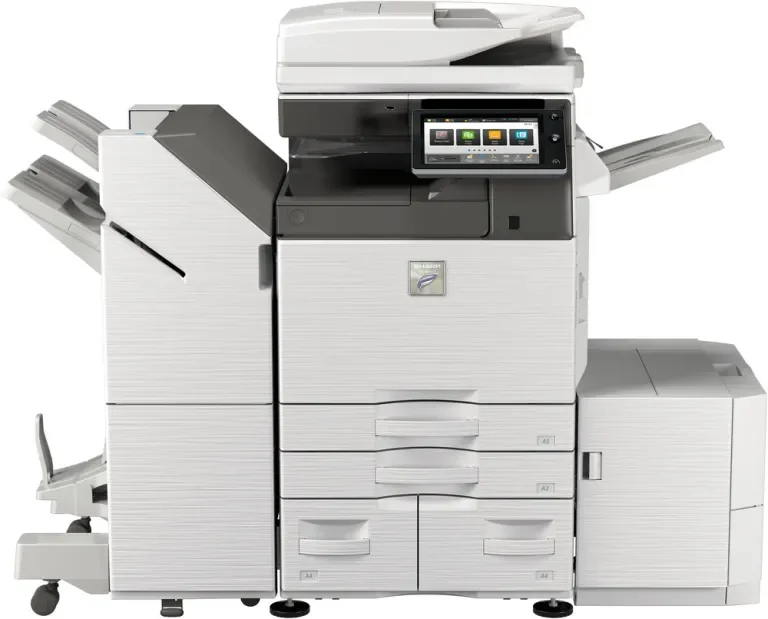
The Sharp MX-M3571 prints up to 35 black-and-white letter pages per minute and scans in color. Its 150-sheet feeder can read both sides in one pass at up to 220 images per minute.
Published refurbished price
- $4,300.00ABD Office Solutions · a refurbished MX-M3571 with two drawers and a stand. Checked .
The seller’s two-drawer configuration lists 1,200 sheets including the bypass. Confirm the installed options, delivery terms and warranty on the unit you’re quoted.
Is it a fit for your office?
Print one of your typical 11 × 17 jobs and scan a real two-sided color batch to your network folder. If you need booklets or hole punching, have the dealer demonstrate the installed finishing option and list its part number on the quote.
Print and scan specifications
- Letter print and copy speed
- Up to 35 pages per minute in black and white
- Print resolution
- 1200 × 1200 dpi
- Largest print output
- 12 × 18 inches
- Largest scan original
- 11 × 17 inches
- Document feeder
- 150 sheets, single-pass duplex
- Duplex scanning
- Up to 220 images per minute in black or color
- Standard paper input
- 650 sheets, including the 100-sheet bypass
- Maximum paper input
- 6,300 sheets with optional drawers
- Fax and finishing
- Optional fax, stapling, hole punching and saddle stitching
What to confirm with the dealer
Check the full model on the data plate. Ask for the serial number, meter reading and service history. Have the dealer identify each tray, feeder and finisher, then confirm delivery, installation and on-site service for your ZIP code.
Use the pre-purchase inspection checklist
For a lease, request the term, end-of-lease terms and service charges for the same configuration and print volume. Use the copier quote checklist.
Can I send scans from the panel to Paige?
Use Scan to Network Folder on the Sharp panel to send a two-sided PDF to an approved SMB share. Have IT test the destination with the network settings your office requires. Paige Folder Monitor can pick up new PDFs from that share for extraction and routing.
Compare routes to PaigeCheck native panel requirementsSharp’s Scan to Network Folder instructions
Explore Paige from Ademero, the company that operates CopierGuide.
Estimate your running costs
Ask which service charges cover toner, developer, drum and labor. For a different term or monthly print volume, compare the installed price and service using the same assumptions for each copier.
Calculate printing cost with your own figuresCompare the full cost of ownership
Compare used monochrome copiers
- imageRUNNER ADVANCE 400iF For letter and legal black-and-white printing with two-sided scanning.
- imageRUNNER ADVANCE 4551i Consider it for 51 ppm letter printing and a standard single-pass document feeder.
- e-STUDIO 4518A Ask for the MR-4000 feeder if your office sends large two-sided scan batches.
Published reviews and test evidence
Independent durability certificate
Buyers Lab issued a reliability certificate in February 2020 after a 175,000-impression durability test. For a refurbished unit, ask for its meter and service history and run jobs from the feeder and the drawers you expect to use.
Buyers Lab durability certificate for the Sharp MX-M3571