
Toshiba e-STUDIO 4518A
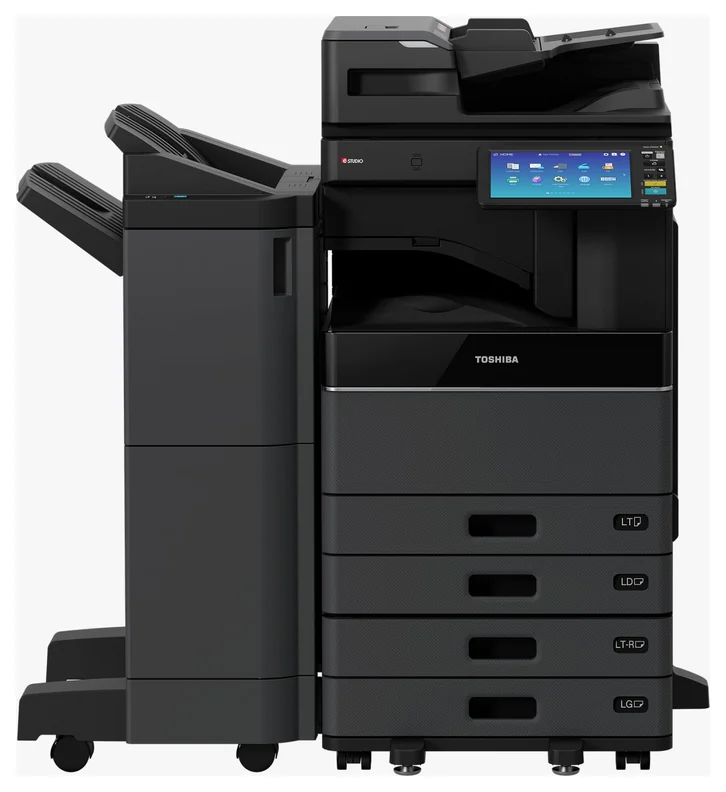
The Toshiba e-STUDIO4518A is a discontinued monochrome copier rated at 45 letter pages per minute. Its duplex scanning speed depends on the feeder installed.
Published used and refurbished prices
- $3,500.00KKC Imaging Systems · a preowned e-STUDIO4518A before shipping. Checked .
- $4,800.00ABD Office Solutions · a refurbished e-STUDIO4518A. Checked .
KKC lists shipping separately and a 30-day warranty. Ask each dealer to name the installed feeder and finisher and price inside delivery, setup and service for your ZIP code.
Is it a fit for your office?
Get the document feeder’s part number on the quote. The MR-4000 can scan both sides in one pass. The MR-3031 reverses the sheet. Run a typical batch at your required resolution and check that every side reaches its destination.
Estimate Toshiba 4518A service and running costsRead published feedbackCompare more used copier prices
Print and scan specifications
- Letter print and copy speed
- Up to 45 ppm
- First copy
- 3.6 seconds
- Paper input
- 1,200 sheets standard, up to 3,200 with options
- Optional MR-4000 single-pass feeder
- 300 sheets, up to 240 images per minute two-sided at 200 dpi
- Optional MR-3031 reversing feeder
- 100 sheets, 25 sheets per minute two-sided at 600 dpi
- Duplex scan speed
- MR-4000 up to 240 ipm at 200 dpi and more than 120 ipm at 600 dpi. MR-3031 25 sheets per minute at 600 dpi, or 50 images per minute.
- Monthly duty cycle
- Up to 150,000 pages
What to confirm with the dealer
For a used unit, check which feeder and finisher are installed. Ask for meter readings and a local service quote for the serial number. Run a two-sided scan to your actual destination before accepting the machine.
Compare Toshiba’s two feeder options at the same resolution
For a lease, request the term, end-of-lease terms and service charges for the same configuration and print volume. Use the copier quote checklist.
Can I send scans from the panel to Paige?
Use Scan to File to send a PDF to an approved SMB share. Have IT confirm that the copier and share support your network’s required SMB settings. Paige Folder Monitor can upload files from that share to a Paige processing job.
Compare routes to PaigeToshiba Scan to File instructions
Explore Paige from Ademero, the company that operates CopierGuide.
Estimate your running costs
Have the dealer identify the unit by serial number and quote the local service coverage. Ask what meter count and wear parts are included, then compare the delivered price and the cost of black-and-white impressions at your monthly volume.
Compare another refurbished 11 × 17 copier
- imageRUNNER ADVANCE 4551i Consider it for 51 ppm letter output and its standard single-pass feeder.
- e-STUDIO 4528A Current 45 ppm letter model for monochrome 11 × 17 printing and color scanning. Specify which feeder the dealer is including.
Published reviews and test evidence
Independent durability certificate
Buyers Lab issued a reliability certificate in 2019 after an in-house 150,000-impression test. For an individual used unit, ask for its meter and service history and test the installed feeder, trays and finisher.
Buyers Lab reliability certificate for the e-STUDIO4518A