
Toshiba e-STUDIO copiers
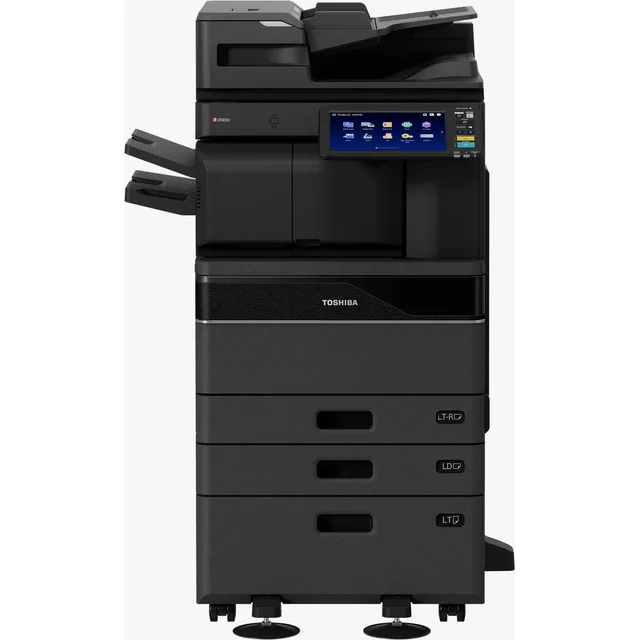
Compare the current e-STUDIO4528A with the used 4518A. Both print monochrome at up to 45 letter pages per minute. The feeder, warranty and local service can change what you pay.
Which Toshiba copier fits the job?
Measure the largest paper you print and the longest batch you scan. If your team prints in color, compare a color model in the paper size you need.
Current monochrome
e-STUDIO4528A
45 ppm on letter. Monochrome printing up to 11 × 17 and color scanning.
Choose the 100-sheet reversing feeder or a 300-sheet dual-scan feeder. The MR4020 adds double-feed detection.
Discontinued monochrome
e-STUDIO4518A
45 ppm on letter. Monochrome printing up to 11 × 17 and color scanning.
Look for the MR-4000 single-pass feeder if you scan large batches. Get the meter report and written parts and labor coverage.
Color on letter and legal
e-STUDIO331AC
Color print, copy and scan for offices that use letter and legal paper.
If you need 11 × 17 color output, ask a dealer to quote a Toshiba color model that supports ledger. Print a sample on your usual paper before signing.
Compare the equipment and service separately
New e-STUDIO4528A
Toshiba’s July 2026 Sourcewell catalog lists the base unit at $4,976 for eligible buyers. Add $994 for the MR4010 feeder in that schedule. Ask for delivery, setup and ongoing service as separate line items.
Used e-STUDIO4518A
Two U.S. seller listings showed $3,500 and $4,800. Compare the installed feeder, final delivery price and what the warranty covers at your address.
Read the used listings and feeder specs
Calculate 4518A service and running costs
Send a test scan to its final destination
Send the same two-sided stack from each copier to the folder your team uses. Check that every side arrives at your chosen resolution and that your staff can repeat the job from the panel.
If staff split those files or rekey fields after scanning, Paige from Ademero can pick up files from an approved Windows folder for extraction and routing. Ademero operates CopierGuide.