
Copier features checklist
Start with the jobs your office runs every week. Check automatic two-sided printing, the largest sheet you use, and how you scan and file documents. Add a finisher or secure print release when the work calls for it.
Which jobs does your office run?
Select the jobs you need. CopierGuide will add the corresponding demo requests to an editable quote form.
What to check on a spec sheet
Two-sided printing and scanning
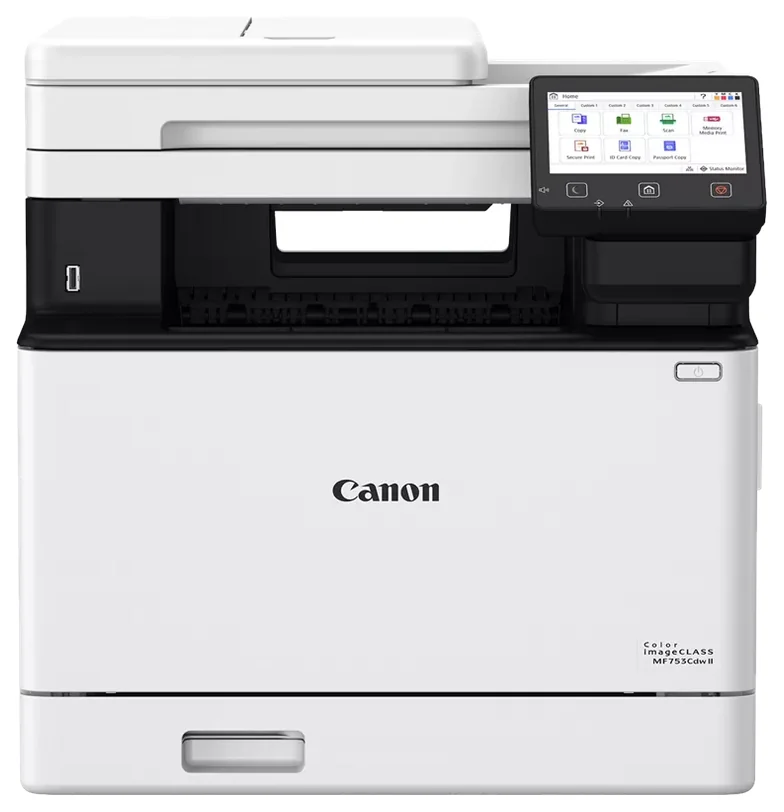
The Brother MFC-L2820DW prints both sides automatically and its feeder captures one side per sheet. The Canon MF753Cdw II adds a 50-sheet feeder that scans both sides in one pass.
Paper size in the tray and feeder
Legal is 8.5 × 14 inches. Tabloid is 11 × 17 inches. Check the size support separately for the tray, duplex path, glass and document feeder.
Monthly volume and installed options
Use actual monthly meter counts and your busiest month to size the machine. Have the dealer name the installed tray, feeder and finisher on the quote.
When the scan needs to become a record
Test delivery from the copier panel as a regular staff member. A searchable PDF helps someone find text later. If an invoice total or customer ID needs to land in another system, test how those fields are extracted and reviewed.
Ademero operates CopierGuide. Paige extracts fields and line items from scanned documents. CapturePoint 6 can process a batch on a Windows PC. Check the scan route and destination your office can use with the quoted copier.
See how four copier features work
These illustrations show the paper or file path. Ask the dealer to demonstrate the exact configuration you plan to buy.
Automatic two-sided printing
See how a sheet returns through the printer to print its second side.
Automatic document feeder
See how a feeder moves originals through the scanner one sheet at a time.
Stapling and collating
See how a finisher aligns and staples a set. Check supported stock and sheet limits on the proposed finisher.
Sending a scan over the network
See how a scan reaches a destination. The available devices and folders depend on the copier, software and network setup.