
Copiers for law offices
Start with the largest sheet you actually print and scan. A desktop laser can handle letter and 8.5 × 14 forms. Shortlist a floor copier for regular 11 × 17 output, stapled packets or larger scan batches.
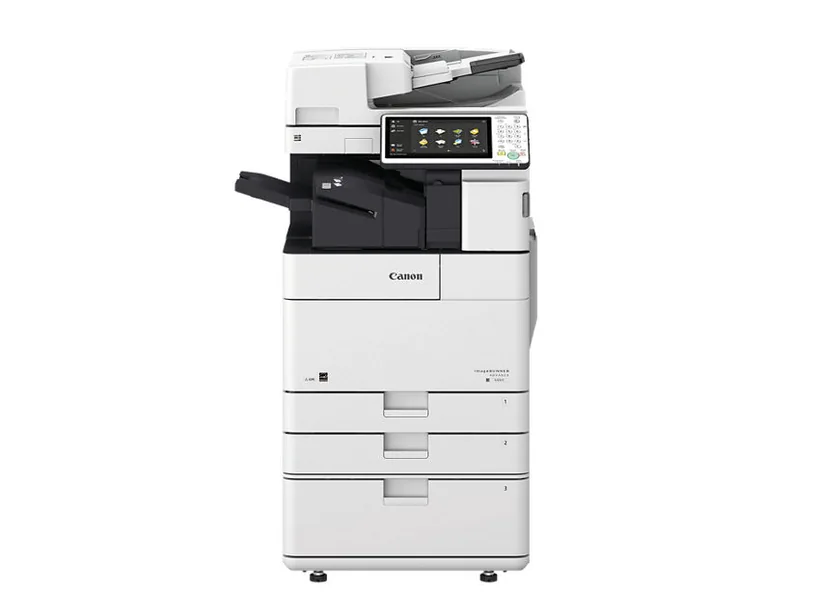
Three machines for different office workloads
Legal paper is 8.5 × 14 inches. Ledger, also called tabloid, is 11 × 17. If either is routine, test the paper tray, the two-sided print path and the document feeder separately. The price examples below are U.S. equipment listings.
Letter and legal forms at a desk
Brother MFC-L5915DW
- 50 ppm black and white on letter
- 70-sheet duplex feeder
$589.99 at Brother US for a new machine. Checked .
Brother lists automatic two-sided printing on letter and 8.5 × 14 paper. It can scan color originals. Try a two-sided legal-size packet and confirm your scan preset retains the full sheet.
Refurbished 11 × 17 black-and-white output
Canon imageRUNNER ADVANCE 4551i
- 51 ppm on letter, 25 ppm on legal or 11 × 17
- 150-sheet single-pass duplex feeder
$4,500.00 at ABD Office Solutions for a refurbished imageRUNNER ADVANCE 4551i. Checked .
Shortlist it if you print larger schedules or diagrams and routinely scan stacks of two-sided originals in color. Ask for the full model number, installed finisher, meter and on-site service coverage.
11 × 17 exhibits that need color
Xerox VersaLink C7130
- 30 ppm in color on long-edge letter
- 130-sheet single-pass duplex feeder
$3,300.00 at ABD Office Solutions for a refurbished VersaLink C7130. Checked .
Shortlist it if printed charts or highlighted exhibits need color. Have the dealer run the actual stock and confirm the installed finishing options. Ask how the service plan bills color and large sheets.
Shopping for refurbished monochrome? Compare the Canon 4551i and Toshiba 4518A prices and feeders.
Bring this packet to every dealer demo
Use sample documents without client information. Build a packet with letter and legal originals, faint text, a two-sided sheet and the largest exhibit you regularly handle.
- Print the whole packet. Verify the tray changes for mixed sizes and that the quoted finisher staples or punches the intended stock. Ask to see those same options on the written quote.
- Scan to the real destination. Time the job from the panel until a staff account can open the PDF. Check for cut-off edges, missing backs or pages in the wrong order. Search for a known phrase in the delivered file if the office needs OCR. Download the scan test packet.
- Try the permissions you plan to use. If you need PIN or card release, ask the dealer to demonstrate it on the exact device. Sign in as a regular user and verify which folders and stored jobs are visible. Have the provider explain where temporary files and stored addresses live and how it clears the machine at return.
- Price the same terms. Ask for inside delivery, network setup, finishing, toner and other wear parts. Verify which service calls and supplies are covered, the response time at your ZIP code, and how the plan bills large sheets and color output.
Check who can find and open the scan
Follow a test scan from the copier to the folder or matter record. Search using a sample matter number. Have a user with the intended access open the file and verify what another user can see. Ask the installer to show what happens when a destination is unavailable. Run the six-page matter scanning test.
Content Central from Ademero indexes documents for search and supports user permissions. It can run in the cloud or on your own servers. Ademero operates CopierGuide. Compare copier-to-document-management routes.
Get an itemized quote for your office
Include your ZIP code, the paper sizes you use, your monthly color and black-and-white counts, and the approved scan destination. Ask each dealer to price the same trays, finishing and service.
Request a law-office copier quote