
Choosing a color copier for marketing print jobs
Start with the largest finished piece you regularly print. Bring the actual PDF and stock to the demo. Ask the dealer to print both sides, run the finishing you need, and show how the job is billed.
Pick the sheet size after figuring in bleed
A3 trim is 297 × 420 mm. With 3 mm of bleed on all sides, the inked area is 303 × 426 mm. SRA3 leaves 17 mm across the width and 24 mm across the length beyond that area. Check how much the printer margins and crop marks use.
| Stock | Dimensions | Buyer check |
|---|---|---|
| 11 × 17 in. (tabloid) | 279.4 × 431.8 mm | Office presentations and proofs with margins. |
| 12 × 18 in. | 304.8 × 457.2 mm | Room to trim letter spreads or US tabloid work. Check the printer margins and crop marks. |
| SRA3 | 320 × 450 mm | Wider than 12 × 18. Common stock for an A3 printed piece with bleed. |
| 13 × 19 in. | 330.2 × 482.6 mm | A separate stock size. Confirm the actual feed, duplex and finishing options. |
Compare three machines by paper path
If your work fits letter or legal, start with a desktop color model and price outside printing for the occasional large job. Compare three desktop HP options.
| Model | Published paper capability | What to ask for |
|---|---|---|
| HP M776dn | HP lists 12 × 18 and SRA3 in multipurpose Tray 1. HP tray specifications. | For occasional proofs, try your heaviest stock and check how often staff will reload the tray. CDW listed $7,039 for the base model, rechecked . |
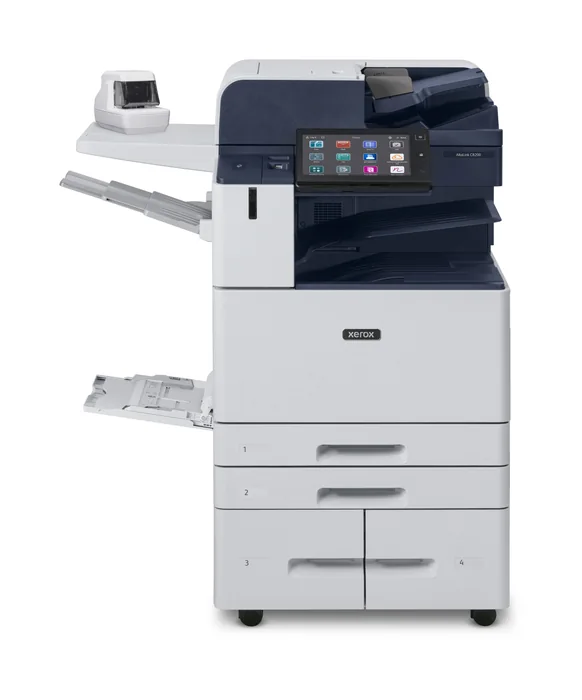
| Xerox AltaLink C8255 | Tray 2 accepts 12 × 18 or SRA3 at 52–300 gsm. Xerox U.S. specifications. | For repeated large jobs, confirm the two-sided and finisher limits on your exact stock. See published Xerox quotes and service rates. |
| Canon imagePRESS V1000 | Canon lists 13 × 19 as a standard size and publishes settings for coated and heavy media. Canon media and configuration guide. | For heavier or longer jobs, get separate costs for the controller, media deck, finishing and service. Have the dealer prove the quoted setup on your job. |
Run a print test before accepting the quote
- Start with the real file. Print your brochure PDF at actual size with its crop marks. Bring an approved color sample and compare the same brand colors and grays on the stock you plan to buy.
- Test the full finishing path. Run the same file on both sides, then fold, trim or staple it. Check front-to-back alignment at the fold, cracking on coated stock, and whether marks reach the trim line.
- Measure usable output. Run a representative batch. Record accepted pieces, spoiled sheets and meter changes. Ask how the agreement counts oversize and two-sided color output.
Compare costs per finished piece
Count paper, color impressions, waste, finishing and labor per accepted piece. Add monthly equipment and service costs that this work would require. For an outside printer, use delivered prices including proofs and rush charges.
Worked example. At $240 in added monthly equipment and service, 29¢ per finished piece in-house and 55¢ delivered from a print shop, in-house costs first come out lower at 924 pieces a month. At 500 pieces, the same assumptions give $385 in-house and $275 outside. Use your own costs and typical monthly volume.
Get a quote that includes the print test
Tell the dealer your largest sheet size, stock weight, average monthly runs and finishing requirements. Ask for the exact tested configuration in writing.