
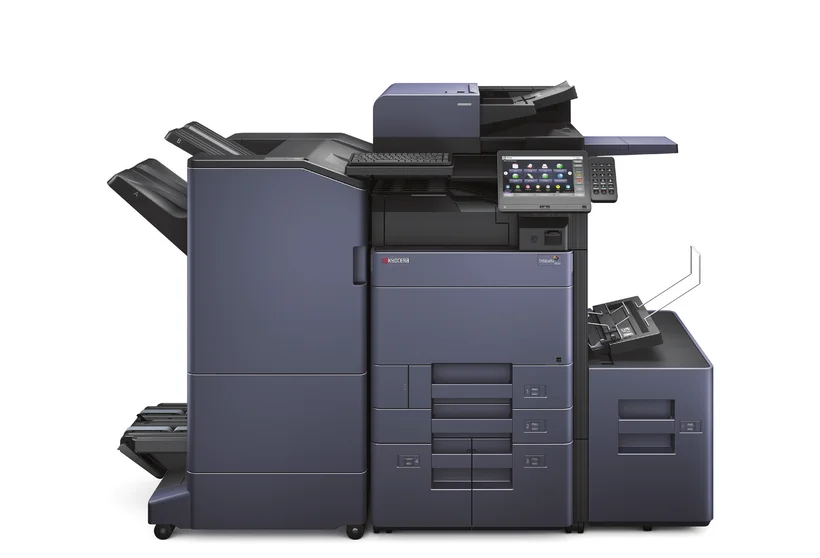
Kyocera TASKalfa 5053ci
The Kyocera TASKalfa 5053ci prints up to 50 letter pages per minute in color or black and white. For two-sided scanning, the optional feeder changes the rated speed from 48 to 220 images per minute.
Published refurbished prices
- $3,799.00The Printer Pros · a refurbished TASKalfa 5053ci before freight, with a 90-day or 3,000-page warranty, whichever comes first. Checked .
- $4,000.00ABD Office Solutions · a refurbished TASKalfa 5053ci with two trays and a stand, before freight. Checked .
Request the installed feeder part number and the remaining warranty in writing. On a used machine, price freight, inside placement and setup separately.
Budget for freight and on-site setup
The Printer Pros listing works out to $4,299 with listed freight or $4,549 with its inside delivery charge. Both totals are before tax, network setup and ongoing service.
Ask each seller to quote the same feeder, delivery and setup. With a page-limited warranty, confirm which problems are covered and who pays for labor or a return shipment.
Compare copier delivery and installation chargesPrint and scan specifications
- Print speed
- Up to 50 ppm letter, 30 ppm legal and 25 ppm ledger in color or black and white
- Largest paper
- 12 × 18 in Tray 2 and bypass. The scanner takes originals through 11 × 17.
- Paper input
- 1,150 standard including bypass, up to 7,150 with options
- Optional DP-7100 feeder
- 140 sheets, reversing
- Optional DP-7110 feeder
- 270 sheets, single-pass duplex
- Optional DP-7130 feeder
- 270 sheets, single-pass duplex with multifeed detection
- Duplex scan speed
- 48 ipm with DP-7100, 180 ipm with DP-7110, or 220 ipm with DP-7130 at 300 dpi
- Print resolution
- Up to 1,200 × 1,200 dpi
- Scan destinations
- SMB network folder, email, FTP and USB
- Searchable PDF and fax
- Optional
- Maximum monthly duty cycle
- 225,000 pages
- North American power
- 120 V, 60 Hz, 12 A
What to confirm with the dealer
Ask for the installed feeder label, black and color meter readings, replaced parts and written on-site coverage. Open a PDF from a job run on this unit and confirm the toner and finisher before ordering.
For a lease, request the term, end-of-lease terms and service charges for the same configuration and print volume. Use the copier quote checklist.
Can I send scans from the panel to Paige?
Ask IT to set an approved SMB Scan to Folder destination on the 5053ci. Test a two-sided batch at the panel. Paige Folder Monitor on a Windows computer with access to that folder can send the PDF to a scan job for separation and extraction.
Compare routes to PaigePaige Folder Monitor setup
Explore Paige from Ademero, the company that operates CopierGuide.
Compare a newer 50 ppm Kyocera
- TASKalfa MZ5001ci The MZ5001ci prints up to 50 letter pages or 25 ledger pages per minute. If you scan large two-sided stacks, ask for the DP-7160 or DP-7170 dual-scan feeder in the written quote.
Published reviews and test evidence
Independent lab test hosted by Kyocera
In April 2019, Buyers Lab recorded one misfeed on a single unit over 225,000 impressions and 22,500 scans. Its test unit had the DP-7130 feeder. The report also found slower-than-average short and long color print jobs among the machines compared. Run your own batch on the actual refurbished unit.
Keypoint Intelligence’s TASKalfa 5053ci lab report