
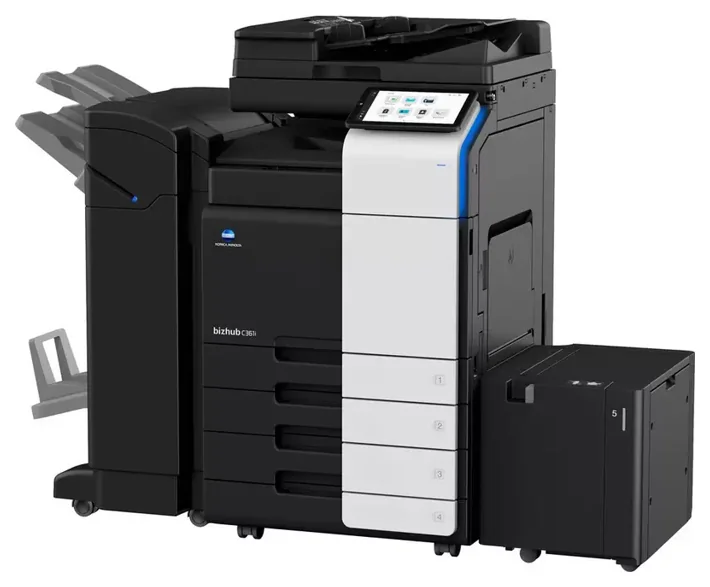
Konica Minolta bizhub C361i
The bizhub C361i prints up to 36 letter pages or 18 tabloid pages per minute. Konica Minolta’s U.S. series brochure lists a dual-scan feeder for up to 100 originals and duplex scans up to 200 images per minute.
Used C361i listing
- $4,199.00Prestige Office Solutions · a used C361i with shipping calculated at checkout. Checked .
What did a C361i rental and service plan cost?
The City of Jackson’s authorized rental terms (PDF) list $249.00 a month for 36 months, plus 0.9¢ per black-and-white and 5.9¢ per color letter impression. Ask your dealer to price the equipment and meter charges separately.
Print and scan specifications
- Letter print speed
- Up to 36 pages per minute
- 11 × 17 print speed
- Up to 18 pages per minute
- Cut-sheet output
- Up to 12 × 18 inches
- Paper input
- 3,650 sheets in the U.S. brochure configuration, up to 6,650 with options
- Document feeder
- Up to 100 originals with the dual-scan feeder
- Two-sided scan speed
- Up to 200 images per minute
- Scan destinations
- Email, SMB network folder, USB and more
- Searchable PDF
- Optional on-device feature
What to confirm with the dealer
Ask for a quote with the exact cabinet, feeder, finishing options, installation and service. If you are replacing a C360i, have the installer recreate and test each scan destination under the new device’s credentials.
Compare C360i and C361i lease and service costs
For a lease, request the term, end-of-lease terms and service charges for the same configuration and print volume. Use the copier quote checklist.
Can I send scans from the panel to Paige?
Yes. Set a panel shortcut to an approved network folder and use Paige Folder Monitor to send files from that folder to a processing job. Ask for a demo of the route your office will use before ordering.
Compare other bizhub models
- bizhub C360i Consider a refurbished C360i if 36 ppm is enough and the dealer can service the exact unit. Check which feeder is installed.
- bizhub C451i Shortlist the C451i if you run larger two-sided scan batches or need faster 11 × 17 output.
- bizhub C300i Compare a 30 ppm color unit with 12 × 18 output from Tray 2. Ask which feeder is installed and check the electrical label.
Published reviews and test evidence
Independent lab evaluation of the model family
DataMaster awarded five stars to the C251i, C301i and C361i in 2025. The lab reported that Text mode preserved lettering over complex backgrounds. Try one of your own invoices or forms against your usual scan settings, then check whether your OCR reads the small fields.
DataMaster’s bizhub evaluation and C361i certificateConfiguration-specific certification
The 2024 evaluation names the C361i and C451i with the FK-514 fax kit and G00-R6 firmware. If your procurement requires this certification, have the dealer identify the exact configuration and provide the applicable report.
Common Criteria certification report for the C361i and C451i